 LIMEN13
 / Reporting
Security reports
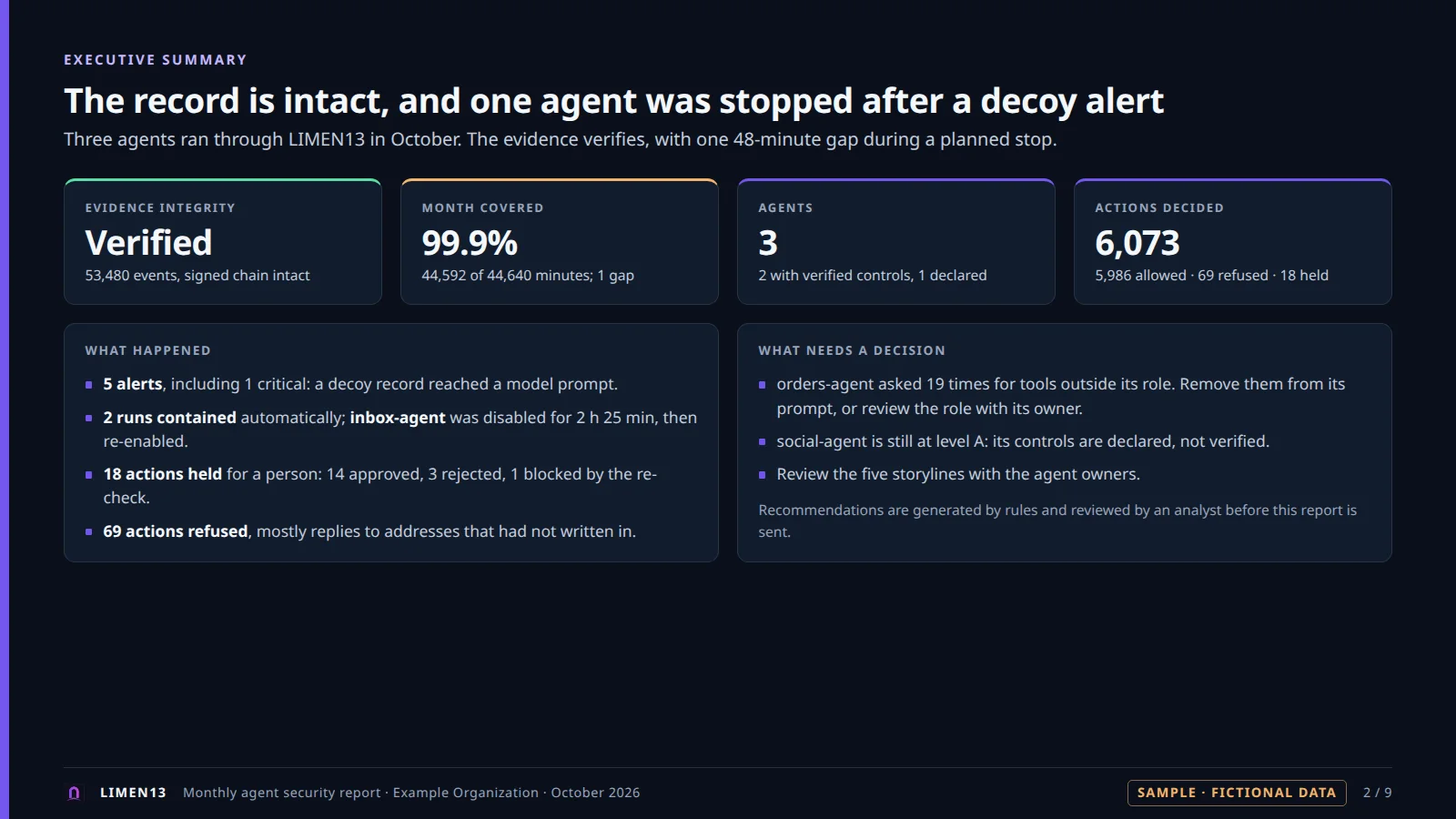
See what your AI agents actually did. Every month, from verified evidence, with the same structure for every customer. An analyst reviews the draft before it is sent.
Sample with fictional data, in English. LIMEN13 writes the report as Markdown and HTML; the sample presents the same sections as slides.
In plain words. Once a month, LIMEN13 writes a report: which agents ran, what they did, what was blocked and why, who approved what, and whether the record can be trusted. Download the sample to see one.
Sample month · fictional data
What your agents did in October
- Actions checked6,073by LIMEN13 this month
- Actions refused69each with a rule and a reason
- Waited for a person1814 approved, 3 rejected, 1 blocked
- Alerts51 critical, 2 runs stopped
AllowedRefused
Refused actions are drawn on their own scale, on the right, so they stay visible.
Line width shows how many actions passed. Red numbers are refusals.
Readers
Who reads it, and what they look for
| Reader | Their question | Where to look |
|---|---|---|
| Executives | Is this under control? | The first line and the reliability section |
| Security managers | What was blocked, and what needs a decision? | Blocked actions, alerts and recommendations |
| SOC teams | Which alerts, containments and kill-switch actions happened? | Alerts and incidents, with a link to each run's storyline |
| Compliance reviewers | Is the record intact, and does it cover the whole month? | Reliability, and coverage of each agent |
| Customers of an MSSP | What did my provider do this month? | The whole report, under their own name |
Contents
What is in it
| Section | Content |
|---|---|
| Summary line | The evidence integrity verdict, on the first line |
| 0. Reliability of the report | Is the evidence unchanged? Does it cover the whole month? Is the end of the month protected against deletion? Every gap is listed. |
| 0b. Coverage of each agent | A level per agent, declared or verified, with its machines, the probes run and any open path found |
| 1. Agent inventory | Agent, owner, allowed tools, approvers, mode |
| 2. Activity per agent | Runs, actions, allowed, refused, held for a person |
| 3. Blocked actions and why | Rule, reason and count |
| 4. Human approvals | Approved, rejected, blocked by the re-check; who decided |
| 5. Alerts and incidents | Alerts with their severity, automatic containments, kill-switch actions |
| 6. Observation mode | What would have been blocked, when observation mode is on |
| 7. Recommendations | A rule-based draft, for an analyst to review |
Where to find it
Where reports exist today
| Place | What exists | Format |
|---|---|---|
| The engine | A command computes the report for a month from the verified evidence. | Markdown and HTML files |
| The console, signed in | The Evidence and reports view generates the month's report and opens it. | HTML page |
| This website | A sample with fictional data, laid out as slides. It is not generated by a live engine. | PDF download |
| The interactive demo | No report. The demo simulates decisions and evidence only. | None |
No PDF export in the product
LIMEN13 0.10.1 writes Markdown and HTML. The PDF on this page is a hand-built sample of the same sections.
Limits
What the report does not say
- It covers what passed through LIMEN13. Agents connected outside it are not in the report.
- “Unchanged” and “complete” are separate verdicts. A chain can verify and still have a gap.
- Recommendations are generated by rules. A person has to review them before the report is sent.
- Markdown and HTML, in English, in this release. The sample shows the same sections laid out as slides. LIMEN13 itself does not export slides or PDF.
- No comparison with your business systems' own records yet.
See a report built from your own pilot data.
The pilot ends with a report draft generated from the evidence your agent produced.